
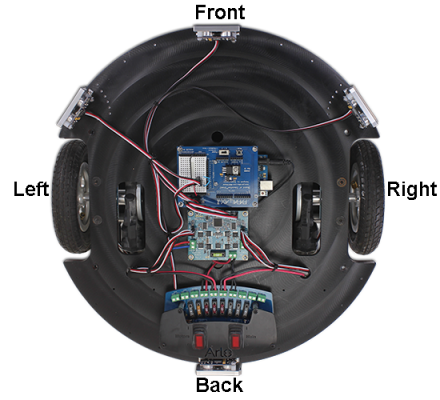
Ready for a bigger Arduino-powered BOE Shield-Bot? Try mounting your Board of Education Shield with an Arduino Uno on the Arlo! After a couple connections and a few simple tests, any Shield-Bot code will run. The time it takes for the Arlo to go distances and execute turns is different, so you will have to adjust some numbers in your sketches, but after that the Arlo will run Shield-Bot code like a champ.
- If you have not done so already, complete the Arlo Assembly Tutorial, up to but not inlcuding the optional Top Deck Assembly.
- Grab your Arduino Uno mounted on a BOE Shield, and the programming cable, then get started!
Curriculum
- 1 Section
- 14 Lessons
- Lifetime
Expand all sectionsCollapse all sections
- Arlo with an Arduino Uno & BOE Shield Brain14
- 1.1ArloRobot Arduino Library
- 1.2Connect BOE Shield to DHB-10
- 1.3Test Shield Electrical Connections
- 1.4Clear the Arduino Sketch
- 1.5Test Arduino to DHB-10 Communication
- 1.6Test BOE Shield Arlo Motor Connections
- 1.7Test BOE Shield Arlo Encoder Connections
- 1.8Try & Tune Some BOE Shield-Bot Code
- 1.9Increase BOE Shield Arlo’s Top Speed
- 1.10Control BOE Shield Arlo with the Terminal
- 1.11More Precise BOE Shield Maneuvers with Encoders
- 1.12Connect & Test BOE Shield + Arlo Ping))) Sensors
- 1.13BOE Shield + Arlo Control System Adjustments
- 1.14Troubleshooting Your Arlo + BOE Shield
