Skip to content
Parallax Learn

Parallax Learn

  • Welcome
  • Tutorials
        • Tutorial Series head tag

          Tutorial Series
        • Tutorial Series

          The special, classroom-ready series pages are organized collections of tutorials for our most popular hardware and/or languages. The tutorials for each topic are conveniently accessible from a single page, shown in the order it is recommended that they be completed.
        • Robotics Series Head tag

          Robotics Series
        • Robotics Series

          • Artificial Intelligence
          • Cybersecurity: Radio Data tutorialCybersecurity
          • cyber:bot + Python
          • cyber:bot + MakeCode
          • Boe-Bot Tutorial SeriesBoe-Bot
          • Arduino Shield-Bot
          • ActivityBot with C TutorialsActivityBot + C
          • ActivityBot with BlocklyProp Tutorial SeriesActivityBot + BlocklyProp
          • Scribbler 3 Tutorial SeriesScribbler 3
        • Electronics & Programming Series Head tag

          Electronics & Programming Series
          • BS2 Board of Education Tutorial SeriesBS2 Board of Education
          • Propeller C-Language BasicsPropeller C Basics
          • FLiP Try-It Kit C Tutorial SeriesFLiP Try-It Kit + C
          • FLiP Try-It Kit BlocklyProp TutorialsFLiP Try-It Kit + BlocklyProp
          • Badge WX Tutorial SeriesBadge WX
          • Propeller BlocklyProp Basics and ProjectsPropeller BlocklyProp Basics
          • View All Tutorial Series »
        • Browse Tutorials
        • Browse Tutorials

          Individual tutorials sorted by robot or kit, and language.
        • By Robot or Kit
          • ActivityBot
          • SumoBot WX
          • Boe-Bot
          • Shield-Bot
          • cyber:bot
          • Badge WX
          • ELEV-8
          • ARLO
        • By Language
        • By Language

          • Propeller C
          • Arduino
          • BlocklyProp
          • PBASIC
          • Python
          • MakeCode
          • View All Tutorials »
  • Educators
  • Reference
  • Downloads
  • Home
  • All Courses
  • Machine Learning: Train the HUSKYLENS to Recognize

Machine Learning: Train the HUSKYLENS to Recognize

Test the Color Training Script

This will be similar to the I2C circuit connection tests.  The difference will be that you’ll remember more color IDs.

REMEMBER: This time, you’ll use the A+B buttons to remember a color and the A button to move to the next ID before remembering the next color.

Power-up the cyber:bot

Make sure that:

  • The cyber:bot has 5 AA batteries (either new alkaline batteries or freshly recharged NiMH).
  • The battery barrel jack is plugged into the cyber:bot robot’s barrel plug.
  • The 3-position switch is in position 1 (the center position).

Test the Script

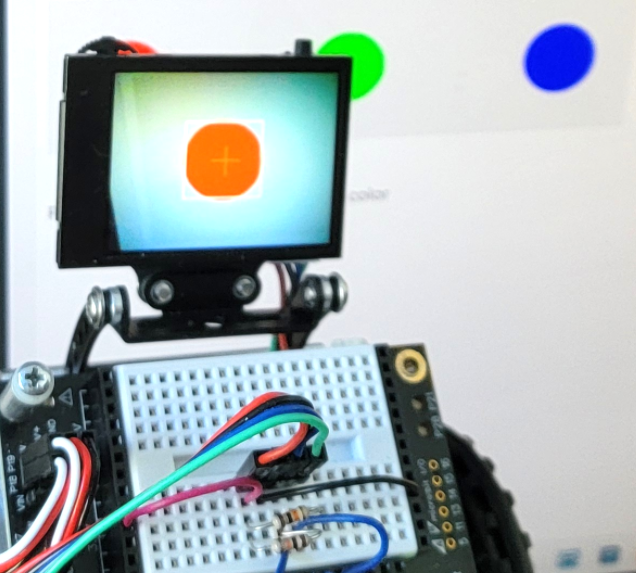
  • Point the HUSKYLENS at a colored dot on this page so that it is centered in its screen

  • Make sure the color is in the center of the HUSKYLENS screen and close enough for the white bounding box to contain just the colored dot.  The dot should somewhere in the range of 1/4 to 1/2 of the screen.
  • Press/release the micro:bit module’s A+B buttons (press A and B at the same time) to remember the color.
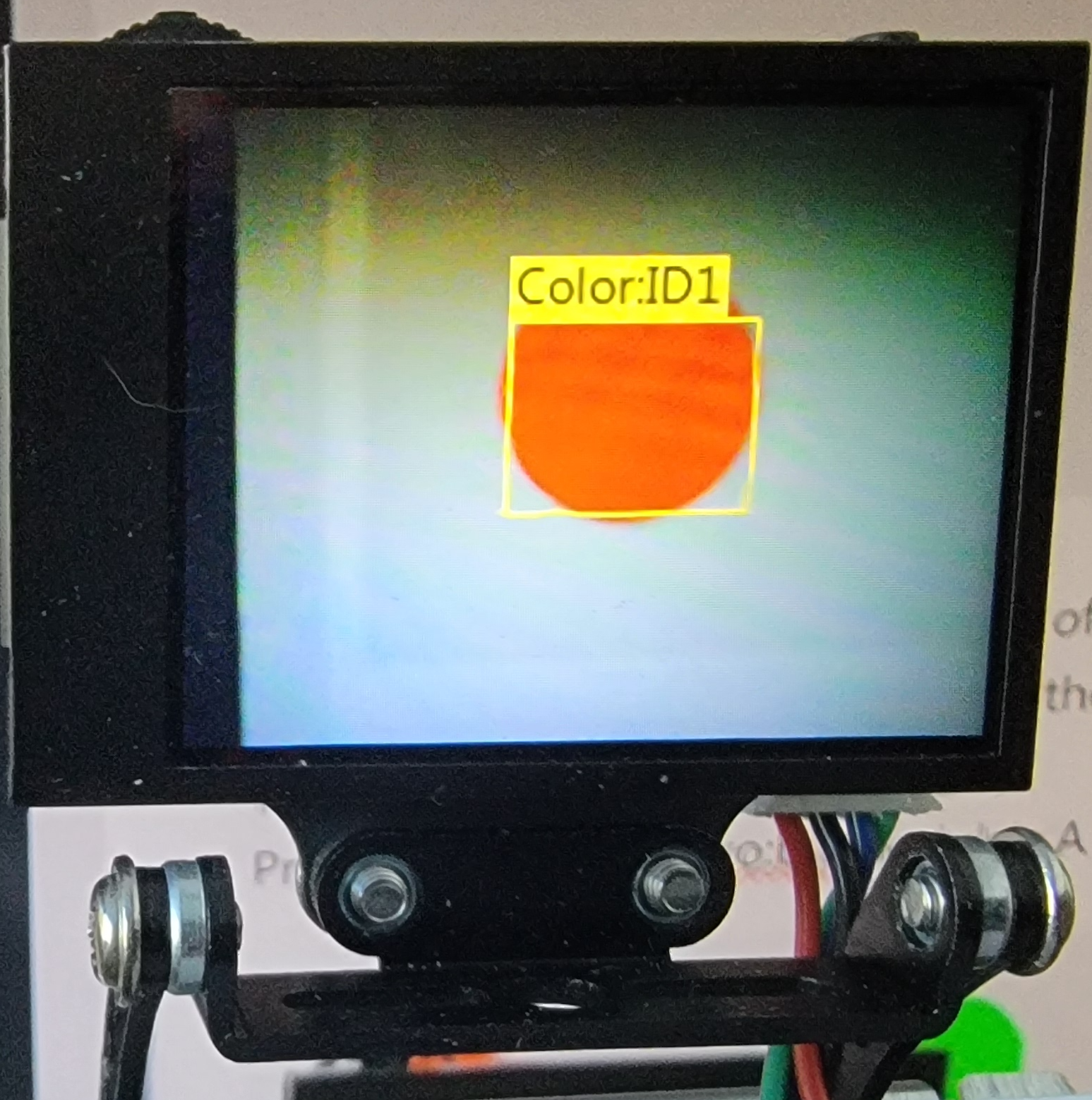
  • As before, check to make sure the HUSKYLENS remembers the color as Color:ID1.
Now, let’s learn the other two colors:

  • Press the micro:bit module’s A button to to advance to the next ID.
  • The micro:bit should display the number 2 on its 5×5 LED matrix display, and the crosshairs will appear again.
  • Point the HUSKYLENS at the next color.
  • Press A+B to remember it.
  • Repeat for the third color.

Can the HUSKYLENS recognize all three colors?

  • Now, point the HUSKYLENS at each color and verify that it displays each ID correctly.
  • If you want to start over, you can press the micro:bit module’s touchpad to erase all the data.

Printer-friendly version
Create the Color Training Script
Prev
Other Recognition Modes: Faces, Tags
Next

DISCUSSION FORUMS | PARALLAX INC. STORE

About | Terms of Use | Feedback: learn@parallax.com | Copyright©Parallax Inc. 2024

© 2026 Parallax Learn • Built with GeneratePress