Script and Tests
Script: pushbutton_test
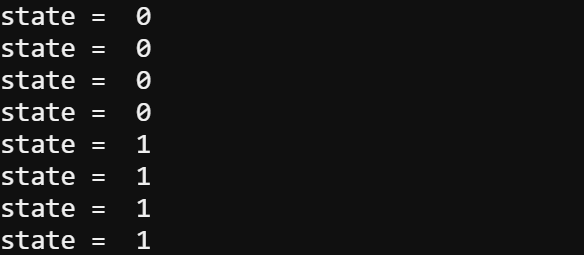
The pushbutton_test script displays whether or not the pushbutton is pressed as values of 1 and 0. These values are often called states. With this pushbutton circuit and script, a state of 1 indicates pressed, and 0 indicates not pressed.
- Connect your micro:bit module to your computer with its USB cable.
- In Google Chrome or Microsoft Edge browser, open the micro:bit Python Editor.
- Set the project name field to pushbutton_test, enter the script, and click Save.
(See Save & Edit Scripts.) - Click Send to micro:bit.
(See Flash Scripts with Python Editor.)
# pushbutton_test

from microbit import *

state = 0
display.off()
pin6.set_pull(pin6.NO_PULL)

while True:
    state = pin6.read_digital()
    print("state = ", state)
    sleep(250)
Tests
- Click the Show serial button to open the serial monitor.
(See Use the Serial Monitor.) - Verify that while the pushbutton is not pressed, it displays state = 0.
- Verify that when you press and hold the pushbutton, it displays state = 1.