
Pushbutton
High/Low Signal Output
Our first class of sensors have high low signal outputs. These are very easy to read with a micro:bit script. We’ll start with sensors that send high/low signals that indicate detection on a single line. Then, we’ll expand to sensors that report with high/low signals on multiple lines.
Single Line
Pushbutton
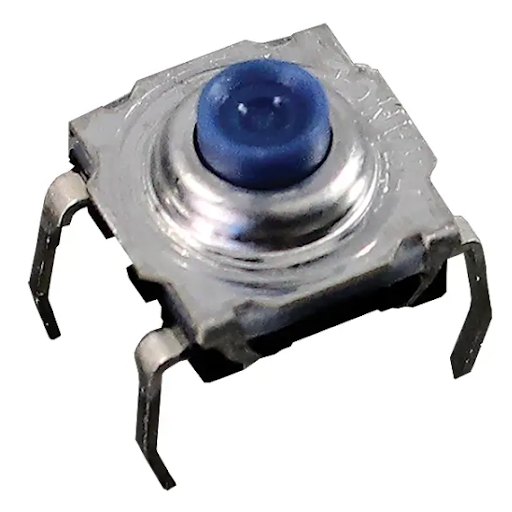
The pushbutton is also called a tact switch. When not pressed, a pushbutton like the one below leaves the closer pair of pins disconnected from the ones in the back. When pressed, it shorts the front row to the back row.
Parts
(1) Tact Switch 400-00002
(1) Resistor 220 Ω (red-red-brown-gold)
(1) Resistor 10 kΩ (brown-black-red-gold)
(1) Jumper wire (red)
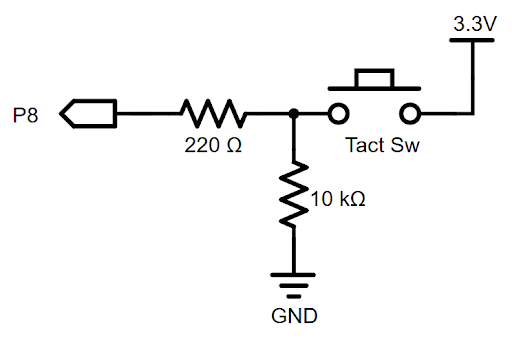
Schematic
This circuit allows the pushbutton to apply a high (3.3 V) signal to the P8 I/O pin when pressed, and a low (0 V) signal when not pressed.
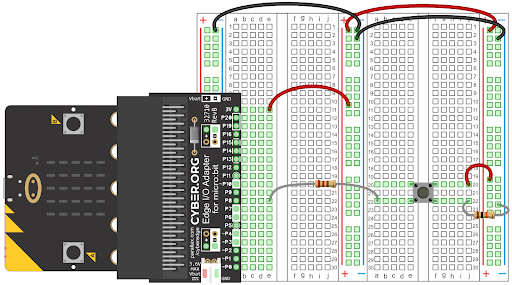
Wiring
Script
New to writing micro:bit programs with MakeCode? Here are two links that will help you get started.
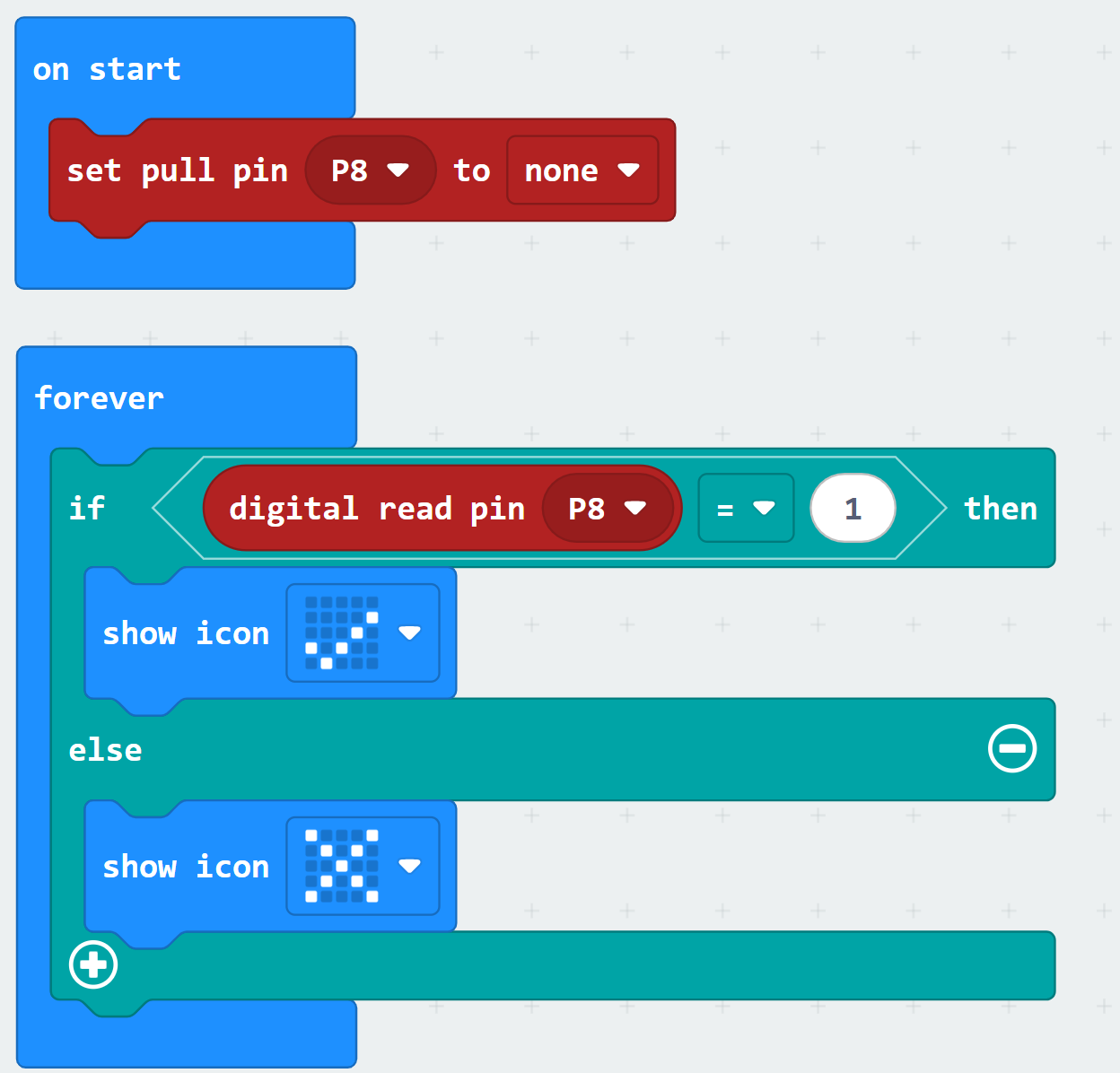
After learning to write scripts and load them into the micro:bit, build and run this program.
Tests
Verify that the micro:bit’s 5×5 LED matrix display shows the checkmark ✔ for 1 second after each time the button is pressed. It should otherwise display an X.