
What it’s About
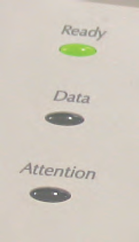
The LED lights in your kit are similar to those commonly used in products to display the device’s status. They can be found on keyboards, monitors, alarm system control panels, and printers like the ones below.
The micro:bit has 25 red LEDs in its pixel array. Those red LEDs contain the same elements; they just come in smaller packages. Larger LED lights are used in traffic lights and automobile break and turn signal lights.
These activities introduce ways to control indicator light behaviors, including rate, timing, and sequencing. You will also use your measuring skills to test the LED light’s micro:bit controlled supply voltage with a voltmeter, and learn to use a new device called an oscilloscope to see the relationship between the LED’s supply voltage over time.
Before you Start
These lessons use a specific kit and build on earlier tutorials.
You will need:
- A What’s a Microcontroller with Python and micro:bit kit (#32750).
- A computer with a Chrome browser and available USB 2.0 compatible port.
Complete these tutorials first:
- Get Started with micro:bit and Python
- Writing micro:bit programs
- Computer – micro:bit Talk
- Breadboard Setup and Testing for micro:bit.
- Electrical Measurements
After You Finish
You will be able to:
- Write scripts to control individual LED light blink rates
- Write scripts to control the timing and sequence of multiple LED lights
- Understand and be able to calculate an on/off signal’s frequency, period, and duty cycle
- Measure on/off voltages with a voltmeter
- Probe and display a signal with an oscilloscope
In later activities, you will apply these approaches to “indicate” something that has been sensed. You will also use them to create slow motion versions of signals that control other devices like position controlling servo motors.
Curriculum
- 1 Section
- 41 Lessons
- Lifetime
- LED Lights41
- 1.0Connect and Blink a Light
- 1.1Script and Tests
- 1.2How it Works
- 1.3On-Off Signals
- 1.4Review and Practice
- 1.5Solutions
- 1.6Set Brightness with a Script
- 1.7Script and Tests
- 1.8How it Works
- 1.9More About A/D
- 1.10Review and Practice
- 1.11Solutions
- 1.12Add a Light
- 1.13Script and Tests
- 1.14How it Works
- 1.15Sequential Blinks
- 1.16Review and Practice
- 1.17Solutions
- 1.18Intro to Lists
- 1.19How it Works
- 1.20Other Data Types in Lists
- 1.21Review and Practice
- 1.22Solutions
- 1.23Blink Sequencing
- 1.24Script and Tests
- 1.25How it Works
- 1.26Zip Lists Together
- 1.27Review and Practice
- 1.28Solutions
- 1.29Measure Blinking Light with a Voltmeter
- 1.30Script and Tests
- 1.31How it Works
- 1.32Change the Resistance
- 1.33Review and Practice
- 1.34Solutions
- 1.35Measure Light with an Oscilloscope
- 1.36Script and Tests
- 1.37How it Works
- 1.38Setting a Trigger
- 1.39Review and Practice
- 1.40Solutions
